
How to register on the app
← Back to the 2026 Fall course list
How to register on the Exploring Scholar app
Step 1: Download the app
New families: tap a button below on your phone to download the Exploring Scholar app, or search “Exploring Scholar” in the App Store / Google Play.

Step 2: Create an account
Open the app and complete Signup with the parent’s contact details. Note the email you register with so you can log in later to receive course information. If prompted to allow notifications from “Exploring Scholar,” please tap “Allow.”
Step 3: Find the course and submit a request
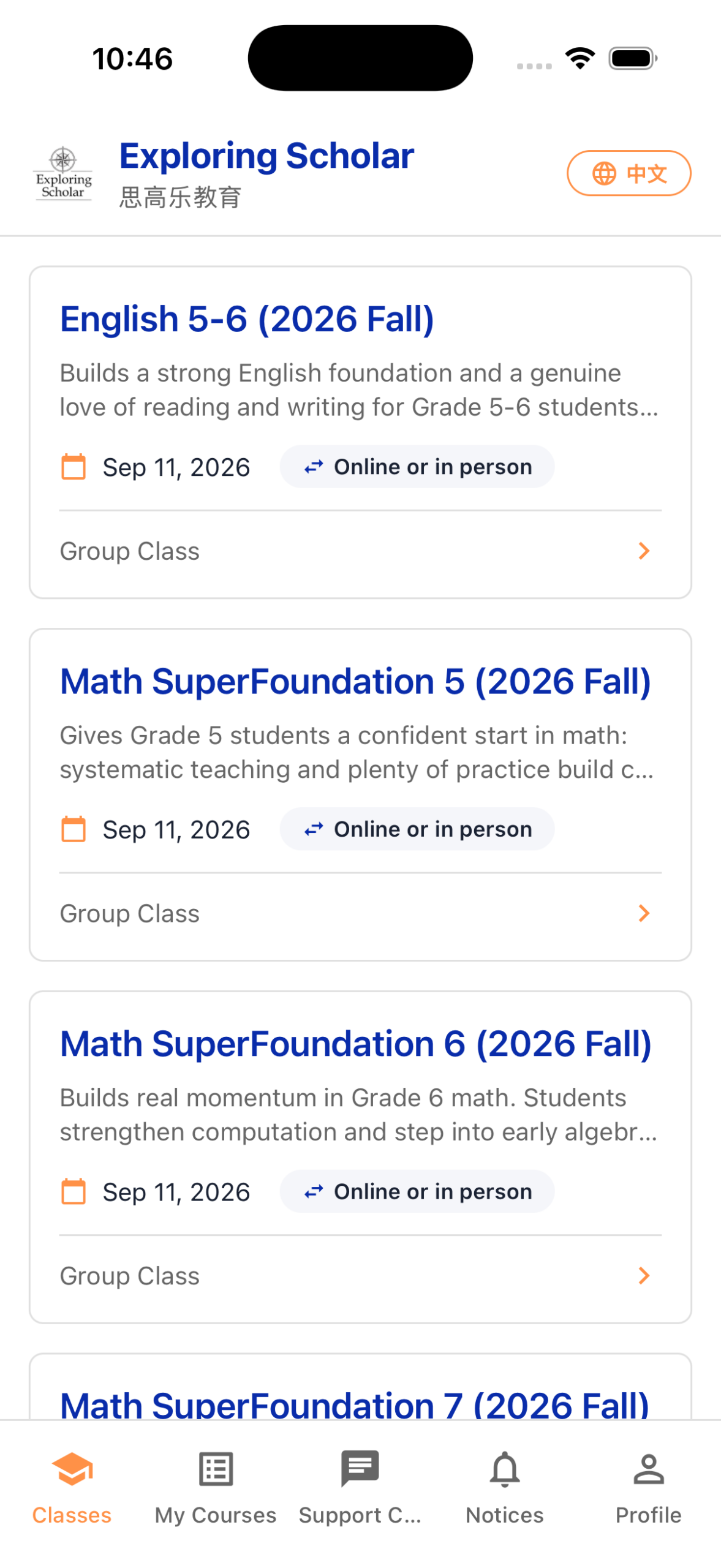
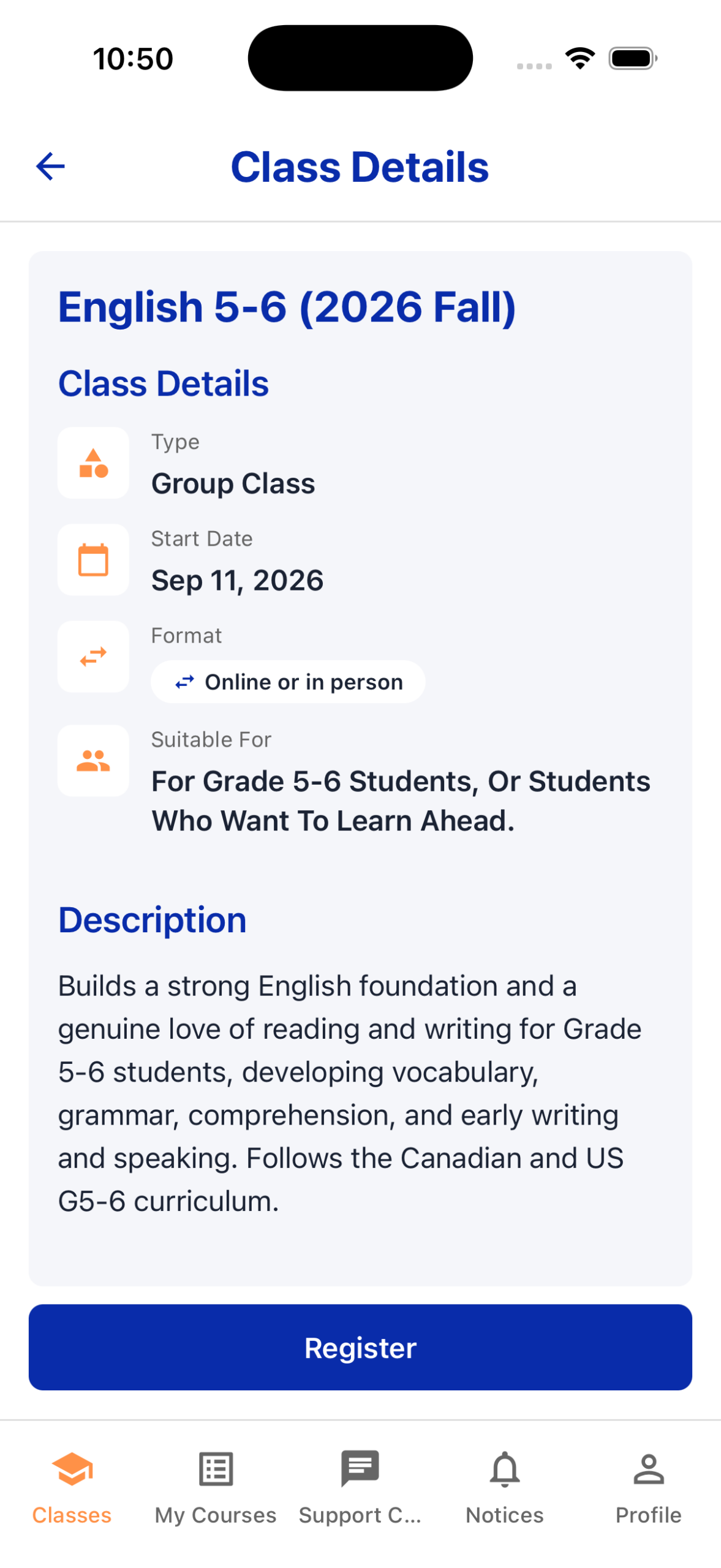
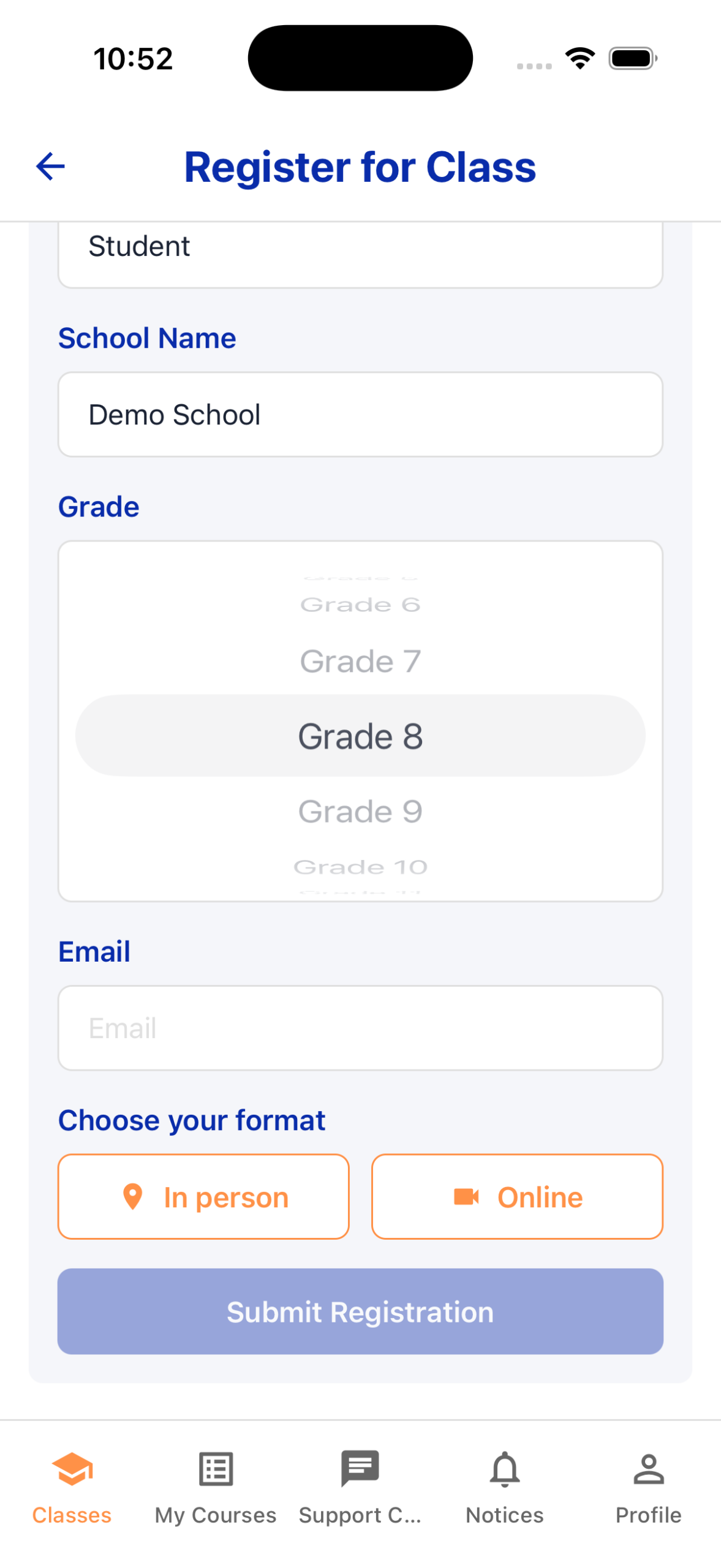
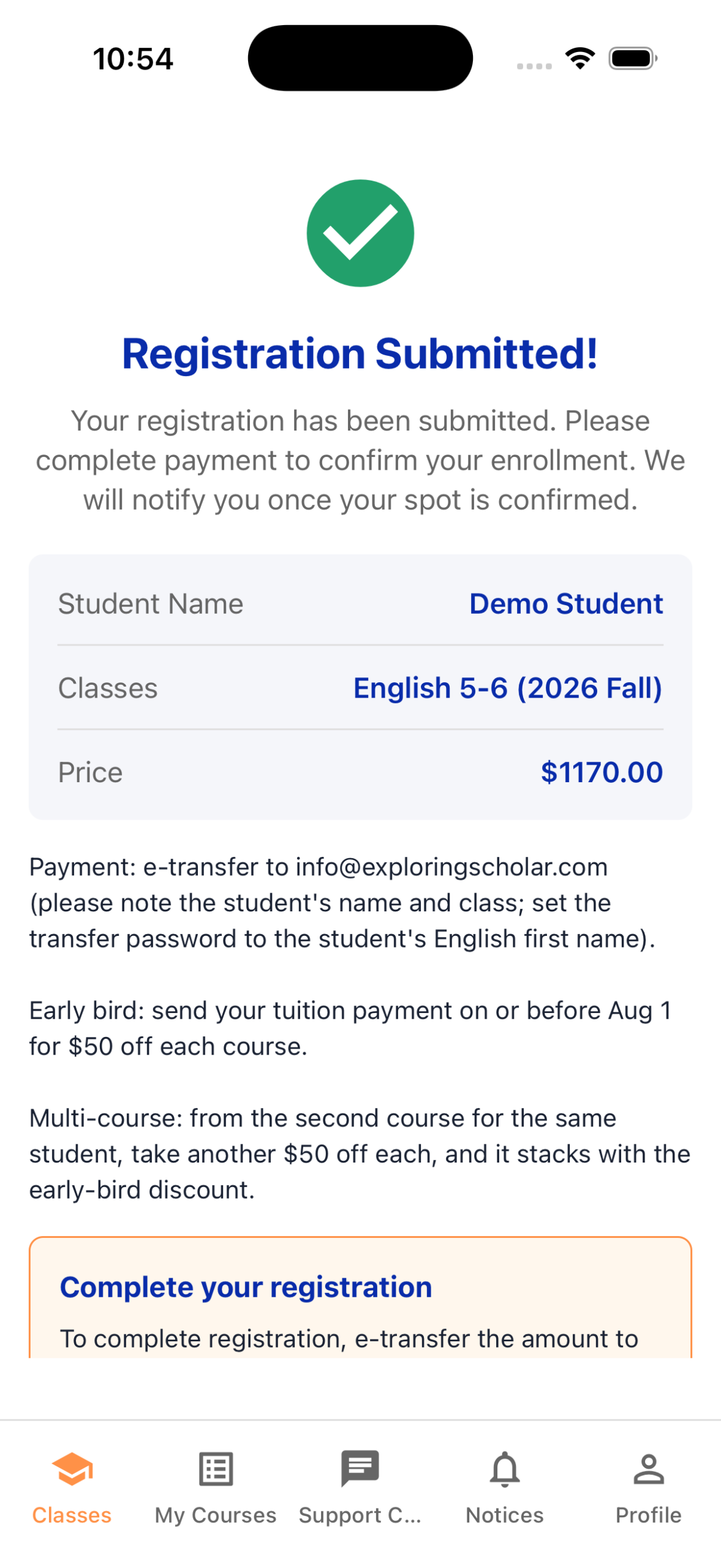
Under Classes, find the course you want and tap “Register.” Enter the student’s details, then tap “Submit Registration.” Once submitted, you can pay the tuition. To register for more than one course, repeat this step.
Step 4: Pay the tuition
- E-transfer: send to info@exploringscholar.com and include the student’s first and last name and the course name in the message.
- Cheque or in-person: please arrange with our admin ahead of time; you can pay at the school during in-person class times.
Register for more than one course before classes begin and take $50 off each course from the second onward. The discount is applied automatically to the balance owing in your app account, so you can pay the amount shown under “Profile” (bottom right) with confidence.
We welcome families and Exploring Scholars to refer strong students. After a new student registers, the referring family receives a $50 credit (stackable) that applies directly to tuition. The referred student also receives a $50 credit toward future courses after their first registration. To check your referral credit, open the “Profile” page (bottom right); the credit is applied automatically at your next payment. Thank you for your referral!
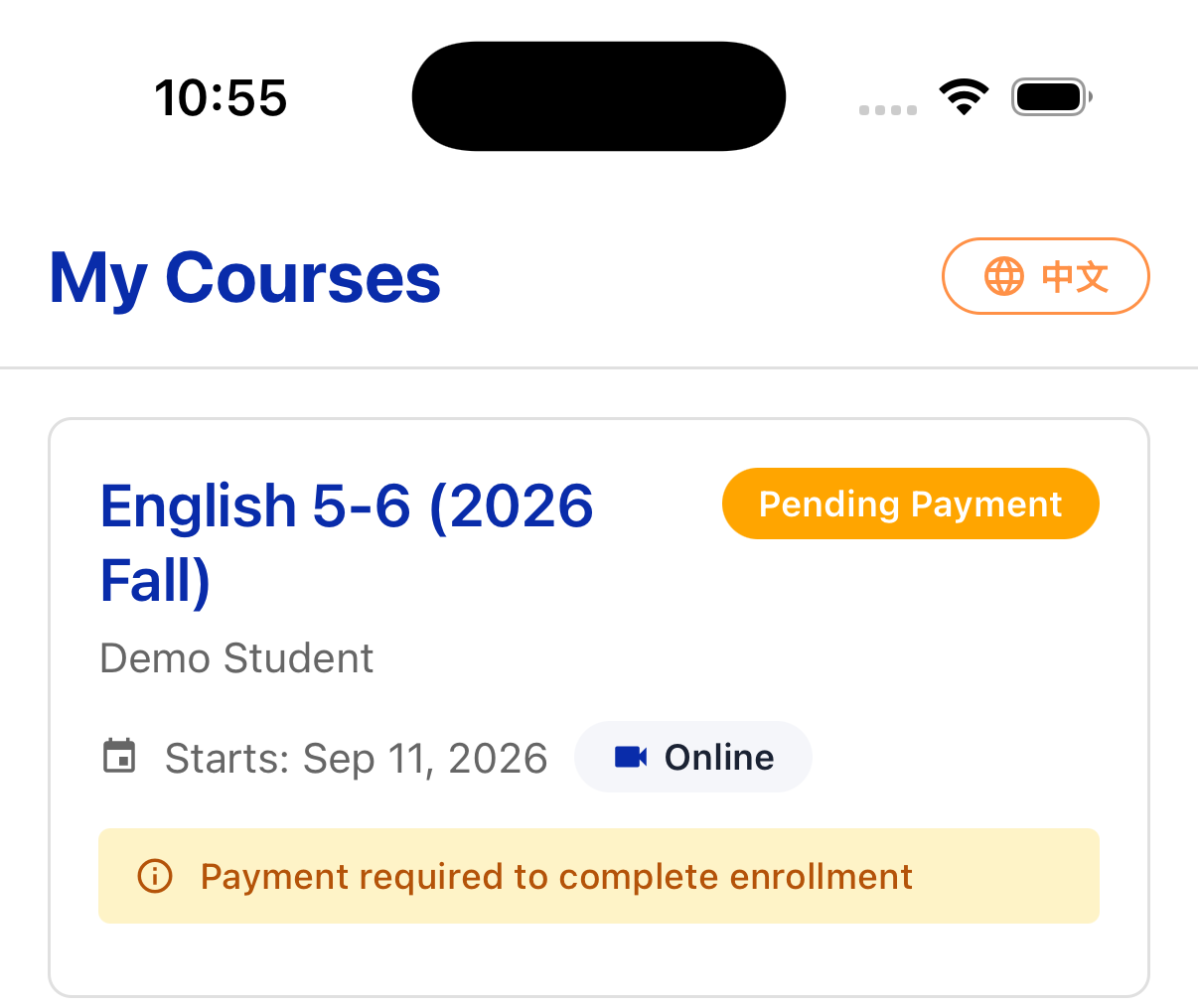
Step 5: We confirm your enrollment
Once payment is received, we confirm your enrollment right in the app. Ahead of the course start date, you will receive email reminders with everything you need to join your group class. Questions at any point? Reach our customer service anytime through the app’s messages.
Withdrawal and transfer policy (2026 Fall)
We understand that time, needs, or other circumstances may require you to adjust a course you have registered for. Before withdrawing or transferring, we warmly invite you to contact our course advisors so we can offer the best option for your situation. If you still wish to withdraw or transfer, our flexible policy has you covered. The remaining tuition for any refund or transfer is calculated as of the date we receive your request:
Before the course starts
- Keep the full tuition as credit toward a future registration, with no fee.
- Or request a refund, less a $50 processing fee.
After the course starts, before the 4th session
- Request a full refund or credit of the remaining tuition, with no fee.
After the 4th session
- Keep the full tuition as credit toward a future registration, with no fee.
- Or request a refund, less a $50 processing fee.
Past the halfway point (over 50% of sessions)
- Withdrawal and transfer requests are not accepted.
Discount recovery: if you received any discount at registration, the discount amount is recovered first, and the remaining balance is then processed per the rules above.
Exploring Scholar is committed to a long-term, trusting relationship with every family. If you have any questions, please reach out any time. Exploring Scholar reserves the right of final interpretation of this policy.